


Database Restarts
This guide explains how to use the Restart interface to perform a rolling restart of your database. The operation is managed through a MongoDBOpsRequest, which ensures the restart is carried out safely and tracked in your cluster.
1. Getting Started
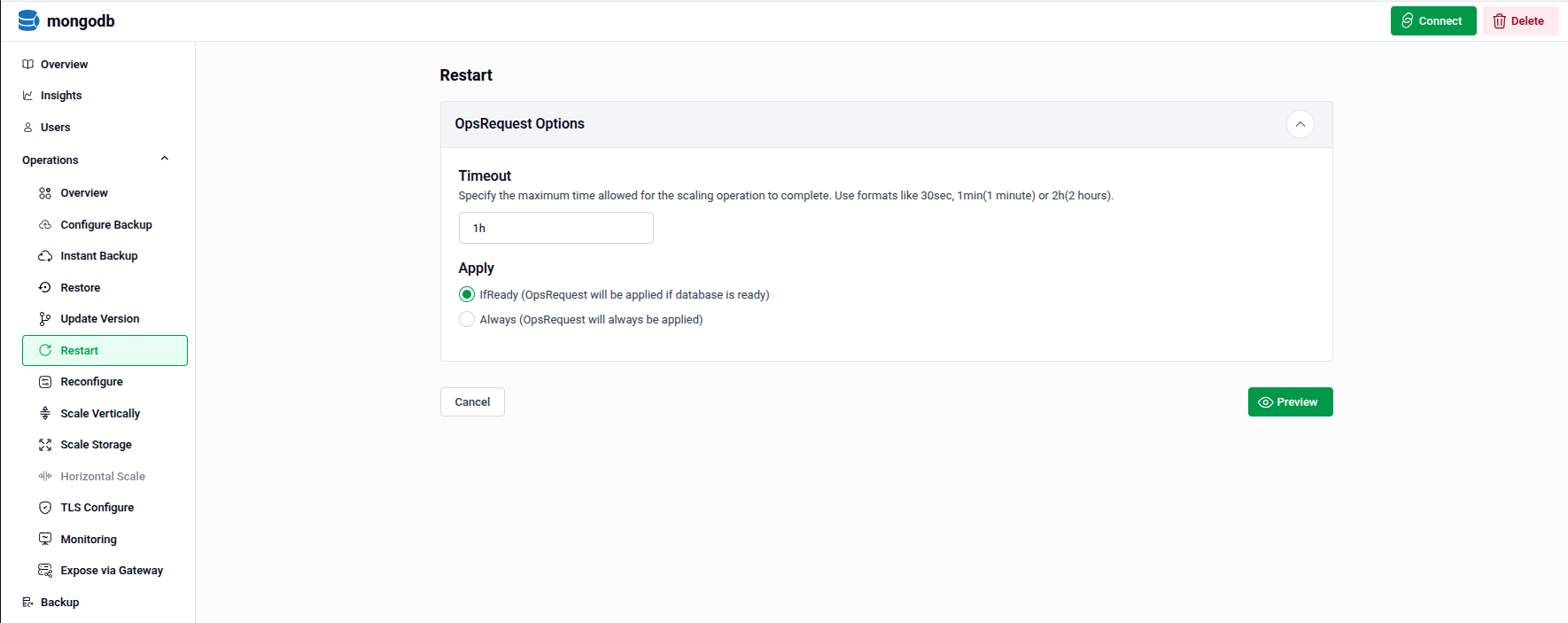
To begin, select Restart from the Operations section in the left sidebar.
You will land on the Restart form, which contains one main section:
- OpsRequest Options — Configure how the restart operation is executed, including timeout and apply policy.
2. Configuring the Restart
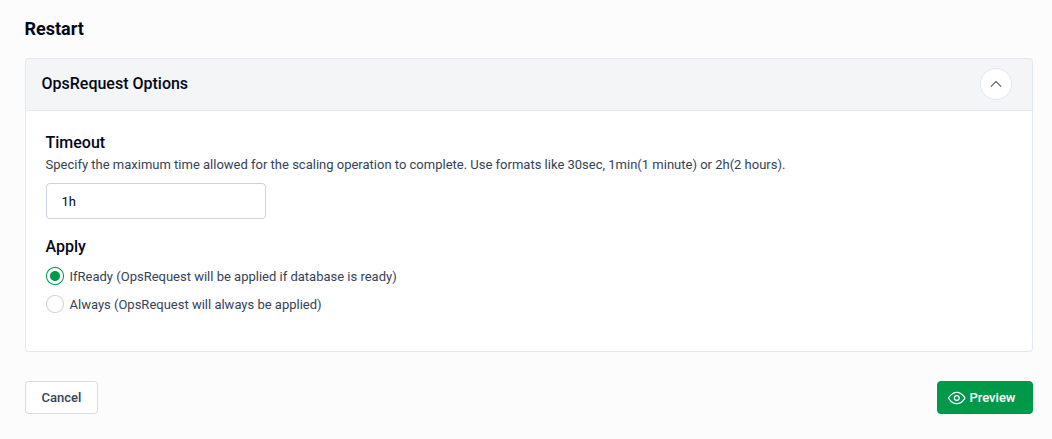
Expand the OpsRequest Options panel to configure the restart operation.
- Timeout: Specify the maximum time allowed for the restart to complete. Use formats like
30sec,1min, or2h. Defaults to1hif left unchanged. - Apply: Choose when the OpsRequest should be applied:
- IfReady — The restart will only be applied if the database is in a ready state. This is the recommended option.
- Always — The OpsRequest will be applied regardless of the database's current state.
Tip: Use IfReady to avoid triggering a restart on an already unhealthy database, which could worsen its state.
- Preview: Once your settings are configured, click Preview to review the generated OpsRequest before applying it.
3. Review and Submit
The Preview page displays the full MongoDBOpsRequest manifest that will be applied to your cluster. Review it carefully to confirm all settings are correct.
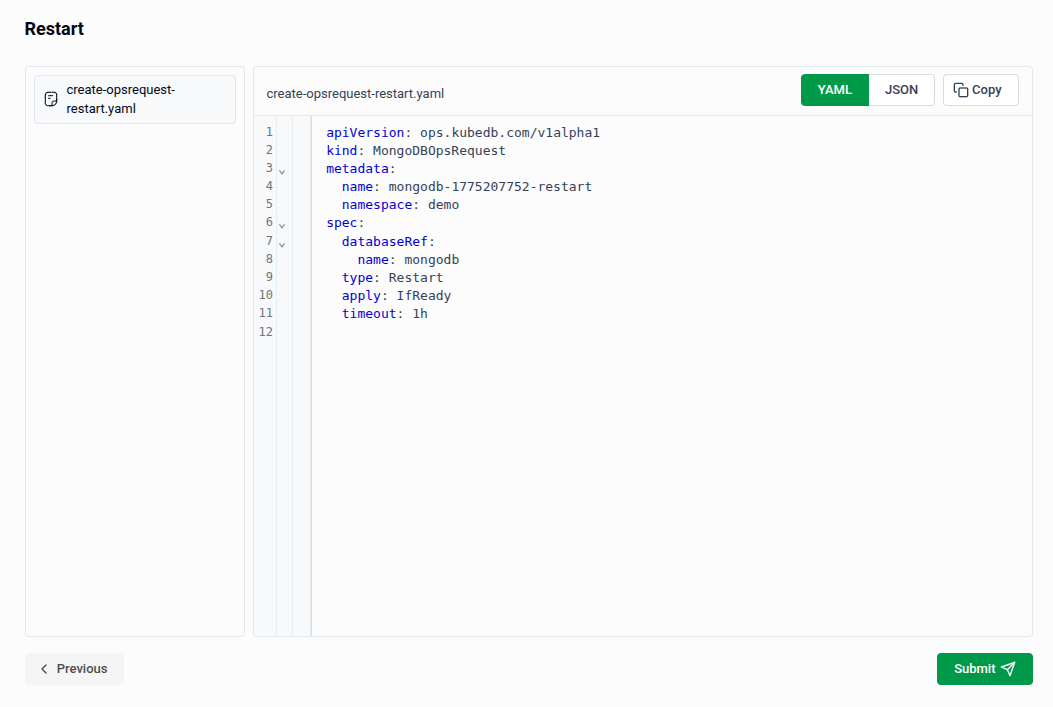
- The manifest is shown in YAML view by default. Use the JSON button to switch to JSON format if preferred.
- Use the Copy button to copy the manifest to your clipboard.
- Click Previous to go back and adjust your settings if needed.
Tip: You can directly edit the YAML or JSON on this page before submitting. This is useful for making precise adjustments beyond what the form fields expose.
- Submit: Once satisfied, click Submit to trigger the restart on your database.
Note: After submitting, a
MongoDBOpsRequestof typeRestartwill be created in your cluster. You can monitor its progress from the OpsRequests section in the sidebar.
Quick Reference
| Action | How to do it |
|---|---|
| Open the Restart form | Operations → Restart in the left sidebar |
| Set operation timeout | OpsRequest Options → enter a value in the Timeout field |
| Control when restart applies | OpsRequest Options → select IfReady or Always under Apply |
| Review the generated manifest | Click Preview |
| Edit as YAML/JSON before applying | Use the YAML / JSON toggle on the Preview page |
| Apply the restart | Click Submit on the Preview page |