


Branding
Site administrators can customize the platform's appearance and identity — including the application name, logo, and favicon — to reflect their organization's branding.
Configure Branding
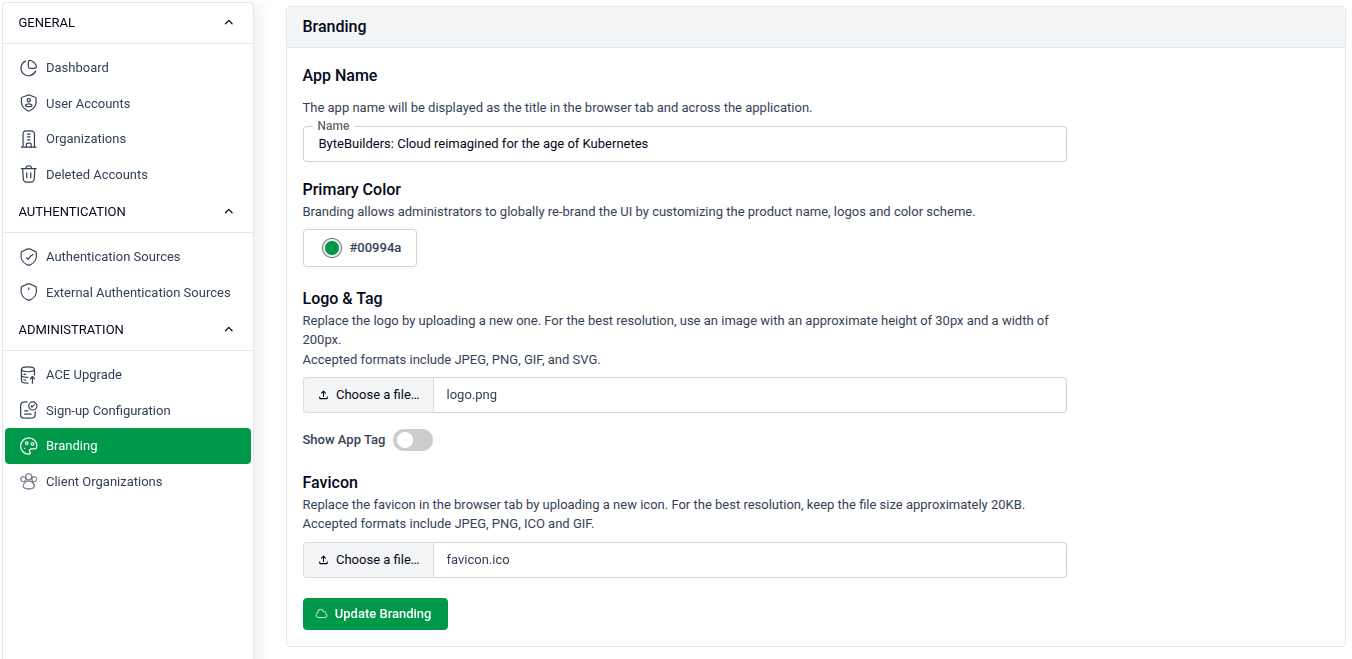
Go to SITE ADMINISTRATION > Branding to update the platform's visual identity.
App Name
- Enter a name in the App Name field. This name appears as the title in the browser tab and across the application.
- Example:
ByteBuilders Cloud managed for the age of Kubernetes
Logo & Tag
- Use the toggle to enable or disable custom branding globally across the platform.
- Click Choose File to upload a logo image.
- Accepted formats: JPEG, PNG, SVG, and GIF.
Favicon
- Click Choose File to upload a favicon displayed in the browser tab.
- For best results, use an image approximately 32x32 pixels.
- Accepted formats: JPEG, PNG, SVG, and GIF.
Click Update Branding to save all changes.