


Managing Organizations
Site administrators can view all organizations on the platform and create new ones from the Organizations section.
1. View All Organizations
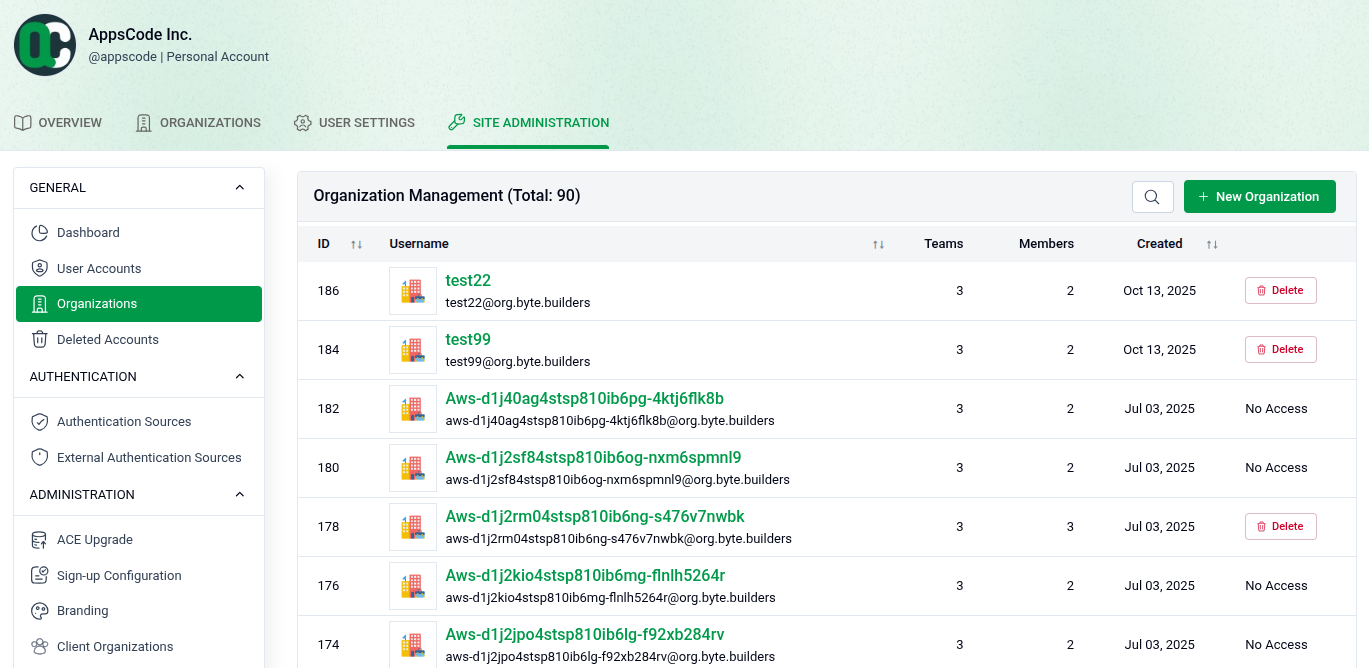
Go to SITE ADMINISTRATION > Organizations to see the full list of organizations.
- Total Count: The page header shows the total number of organizations (e.g., Total: 90).
- Organization Details: Each row shows the ID, username, number of teams, number of members, and creation date.
- Actions: Each organization has a Delete button to remove it and a No Access button to restrict access.
- Create: Click + New Organization in the top right to add a new organization.
2. Create a New Organization
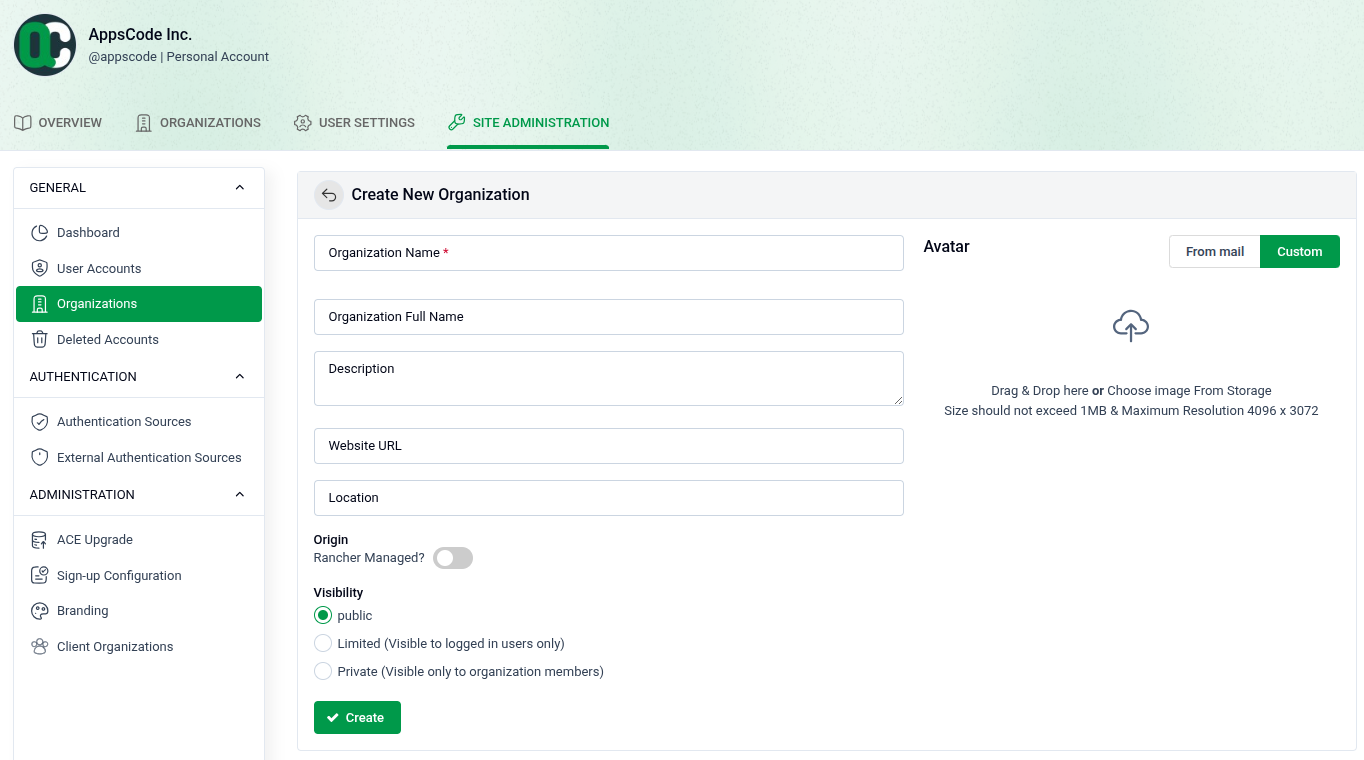
Click + New Organization to open the creation form.
- Organization Name: Enter a unique name (required).
- Organization Full Name: Optionally provide a display name.
- Description: Add a brief description of the organization.
- Website URL: Optionally link a website.
- Location: Optionally specify a location.
- Origin: Toggle Rancher Managed? if the organization is managed through Rancher.
- Visibility: Choose Public, Limited (logged-in users only), or Private (members only).
- Avatar: Upload a profile image from storage (Max: 1MB, 4096 x 3072 resolution).
- Create: Click + Create to finish.