


Deleted Accounts
When a user account is deleted from the User Accounts list, it is soft-deleted and moved here. Site administrators can view all deleted accounts and reactivate them if needed.
1. View Deleted Accounts
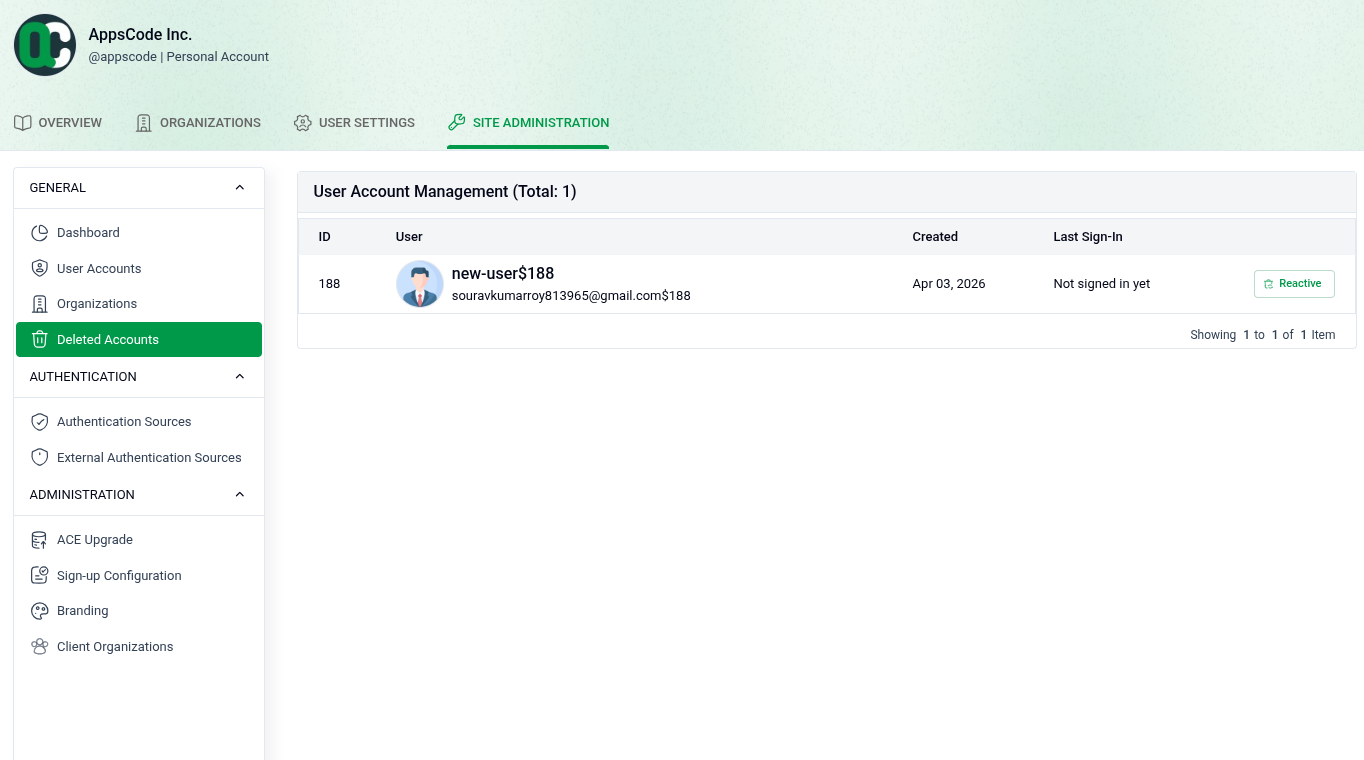
Go to SITE ADMINISTRATION > Deleted Accounts to see the list of deleted user accounts.
- User Details: Each row shows the user's ID, username, email, creation date, and last sign-in.
- Reactivate: Click the Reactive button next to a user to restore their account.
2. Confirm Reactivation
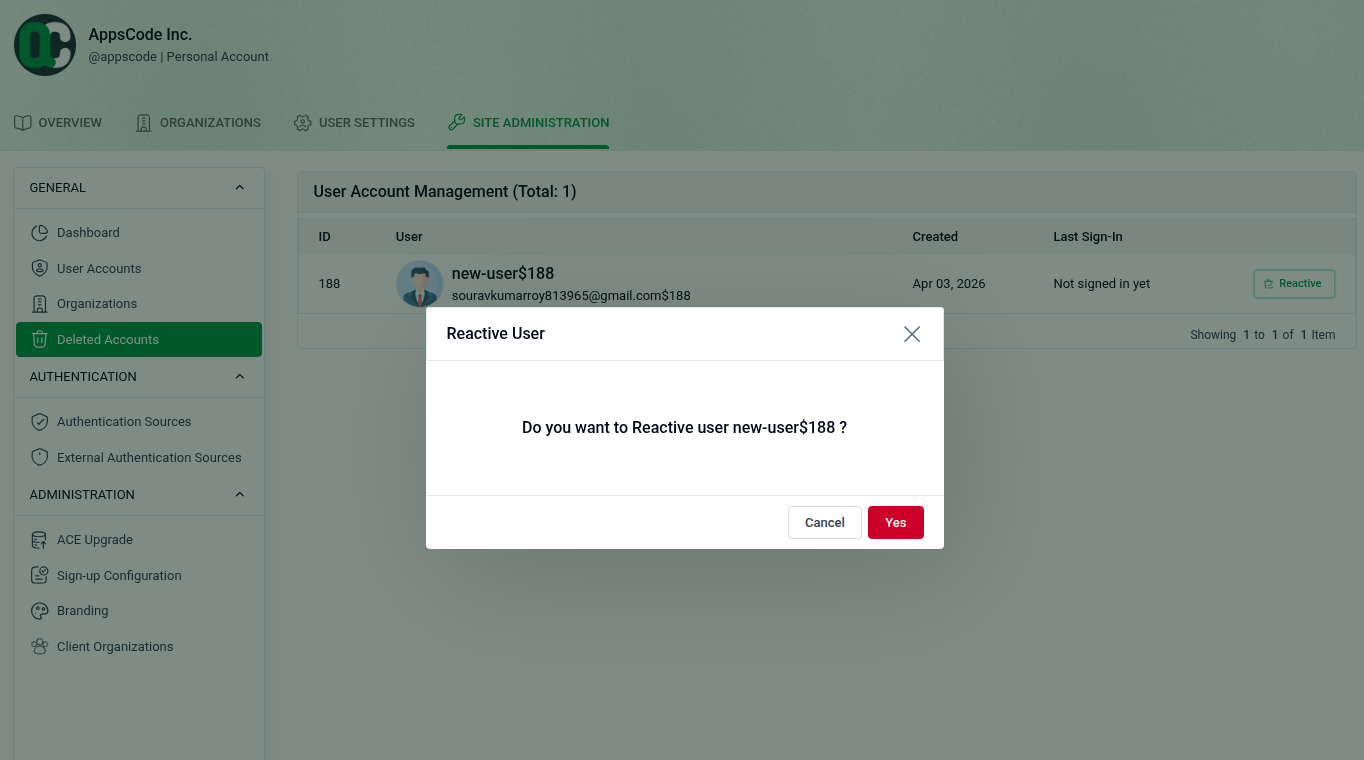
Clicking Reactive opens a confirmation dialog.
- The dialog asks: "Do you want to Reactive user [username]?"
- Click Yes to restore the account, or Cancel to go back.
- Once confirmed, the user account is reactivated and will reappear in the main User Accounts list.