


Sign-up Configuration
Site administrators can control who is allowed to register on the platform by managing approved domains and toggling user sign-up access.
Overview
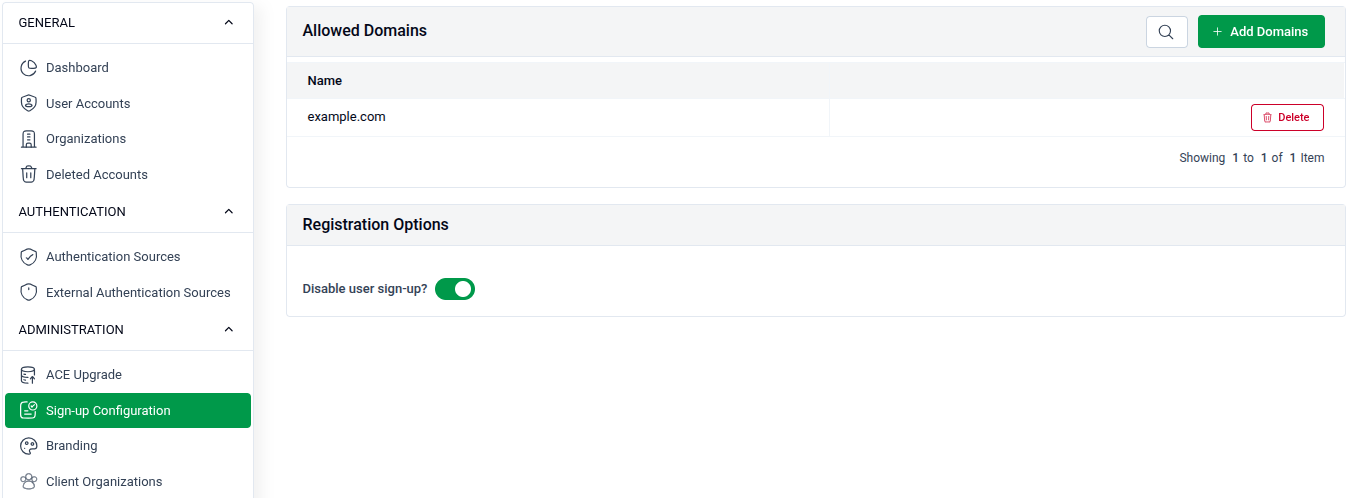
Go to SITE ADMINISTRATION > Sign-up Configuration to manage registration settings.
Allowed Domains
Restrict sign-ups to users with email addresses from specific approved domains.
- List: All currently allowed domains are shown in the table under Name.
- Search: Use the search bar to filter existing domains.
- Delete: Click the Delete button next to a domain to remove it from the allowed list.
- Add: Click + Add Domains to add a new allowed domain.
Registration Options
- Disable user sign-up? — Toggle this on to prevent new users from registering on the platform entirely.
Add a New Allowed Domain
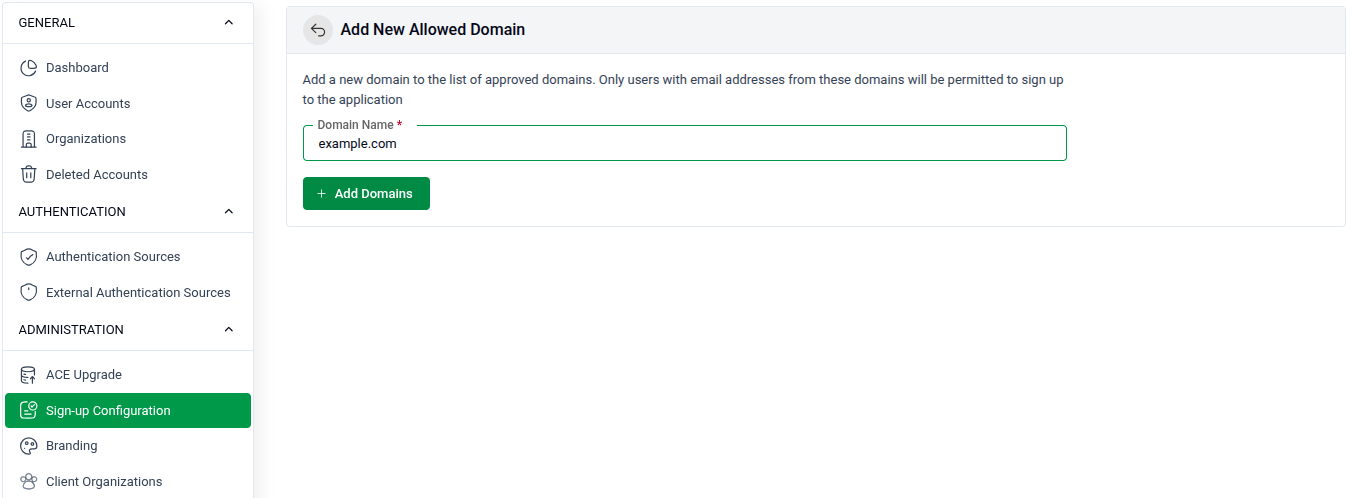
Click + Add Domains to open the form.
- Domain Name: Enter the domain you want to allow (e.g.,
example.com). Only users with email addresses from this domain will be permitted to sign up. - Click + Add Domains to save the entry.