


Expose via Gateway
This guide explains how to use the Expose via Gateway interface to control whether your database is exposed externally through the gateway. Enabling this makes your database accessible outside the cluster via the configured gateway endpoint.
1. Getting Started
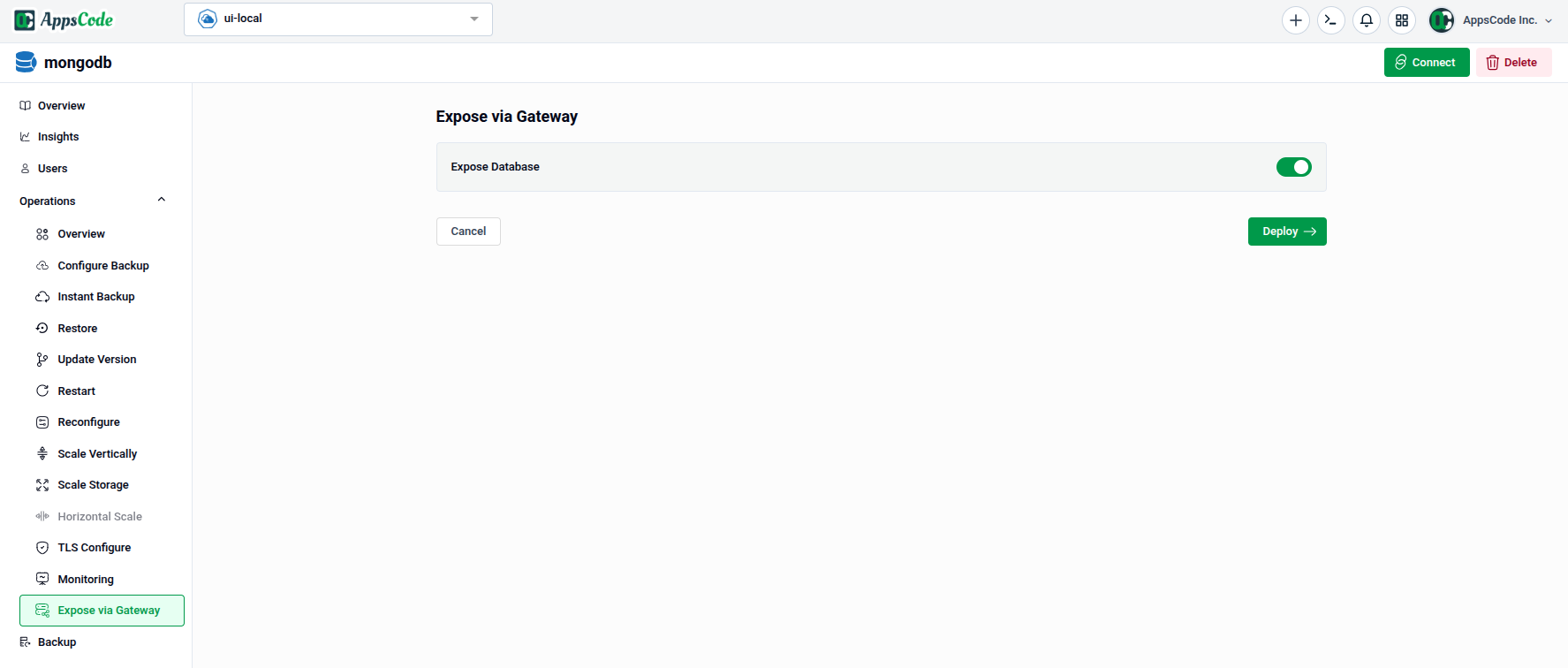
To begin, select Expose via Gateway from the Operations section in the left sidebar.
You will land on a simple form with a single toggle that controls the gateway exposure state of your database.
2. Exposing the Database
- Expose Database: Toggle this switch to enable or disable external access to your database through the gateway.
- Toggle on — The database will be exposed and accessible via the gateway endpoint.
- Toggle off — The database will be unexposed and gateway access will be removed.
Warning: Exposing your database through the gateway makes it accessible from outside the cluster. Ensure TLS and authentication are properly configured before enabling this option.
3. Applying the Change
- Deploy: Once you have set the toggle to the desired state, click Deploy to apply the change immediately.
Note: Unlike other operations, this action does not have a Preview step — the change is applied as soon as you click Deploy. Verify your toggle state before proceeding.
Quick Reference
| Action | How to do it |
|---|---|
| Expose database via gateway | Toggle Expose Database on → Deploy |
| Remove gateway exposure | Toggle Expose Database off → Deploy |